AI room visualiser for Shopify
Turn more browsers into buyers.
Let shoppers see your products in their own home, switch fabrics, and get expert recommendations — all in seconds.



This sofa looks great in your space. It’s a popular choice for open plan living rooms.
- 1Upload a photoUse a photo of your room
- 2See it in your spaceTry different fabrics and colours
- 3Buy with confidenceMore realistic preview, fewer returns
Increase conversionsHelp shoppers visualise before they buy.
Reduce returnsFewer “does it fit?” and “what does it look like?” questions.
Easy to set upWorks with your existing products. No coding needed.
Built for ShopifyDesigned for modern ecommerce stores.
Shoppers see it. Sales follow.
Three taps on your product page
A “See it in your room” button sits on every product you switch on. No app to download, no 3D models to commission. It works with the photos already in your store.

They upload a photo
Phone or desktop. Visully checks the photo is usable and never stores it.
 Luna Sofa · Oat
Your product appears in it
Placed against their wall at a believable scale, with their light and shadows. One credit per image.

They explore and buy
Switch fabrics, download the image, apply an offer. Every preview is linked to the basket so you can see what it sold.
Room Assistant
A sales assistant that has seen their room.
- They upload
a photo - You show the
right products - They buy with
confidence


Fabrics and colours
Every fabric, without extra photography
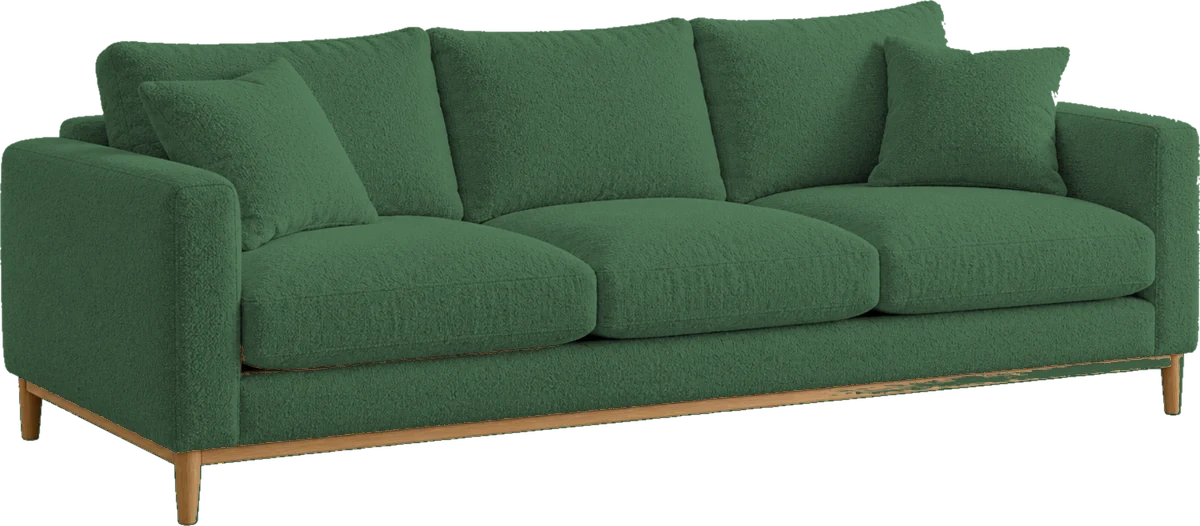
A sofa in 25 fabrics needs one good photo, not 25. Visully reads the colours you already have in Shopify and fills the gaps for you, so shoppers can switch fabric in the preview with one tap.
Shopify swatches. Colour or image swatches on your variants are used as they are.
Your own colours. Pick a colour per fabric in the Fabrics & Colours manager, or upload a sample.
Filled automatically. With auto-fill on, the colour is read from the variant photo, then from the name. One-colour products simply use their photos.


For merchants
Built to be switched on and left alone.
No hosting or photo storage
Track sales from previews
Set shopper preview limits
Capture emails to Shopify
Works with your products
Built for Shopify stores
Set up in
3 simple steps
- 1Install
from Shopify - 2Choose
your products - 3Switch on
Visully
Choose the plan that fits your store
Start free and upgrade as you grow. No long contracts.
Free
See the impact on your store.
10 previews a month
- Popup on any product
- Room Assistant
- No card needed
Starter
All the essentials to get started.
100 previews a month
- Everything in Free
- Top-ups available
- Email capture to Shopify
Growth
More previews, lower cost, priority support.
300 previews a month
- Everything in Starter
- Lower cost per preview
- Priority support
Scale
For high-volume stores.
800 previews a month
- Everything in Growth
- Lowest cost per preview
- Onboarding call
Increase conversionsTurn more browsers into buyers
Easy to set upLive on your store in minutes
No long contractsUpgrade, downgrade or cancel anytime
Friendly supportReal help from our team
Getting started
Live on your store this afternoon
Install from the Shopify App Store
Approve the app and choose a plan, or stay on Free. Visully reads your products and nothing else.
Pick the products
Switch on the sofas, beds and rugs you want. For each one, confirm the reference photo and check the fabric colours it found.
Turn on the embed
Enable Visully in your theme’s app embeds, choose a style and where the button sits. The Room Assistant is a second switch.
Do I need 3D models of my products?
No. Visully works from your product photos. A clear photo of the product on a plain background gives the best results.
How accurate are the previews?
They are AI images for illustration, and we say so under every preview. Scale, colour and details can differ, so shoppers are reminded to check dimensions before ordering.
What happens to shoppers’ photos?
They are used for the preview and discarded. We do not keep room photos or generated images, and the shopper downloads their result from the popup.
Can a shopper run up my bill?
No. Usage stops at your plan’s allowance, each shopper has a daily limit you control, and sudden bursts are paused automatically.
Does it work on themes other than Dawn?
Yes. It is a theme app extension, so it works with any Online Store 2.0 theme. The button position can be adjusted per theme.
Let them see it before they buy it.
Ten free previews a month, forever. Upgrade when your shoppers do.